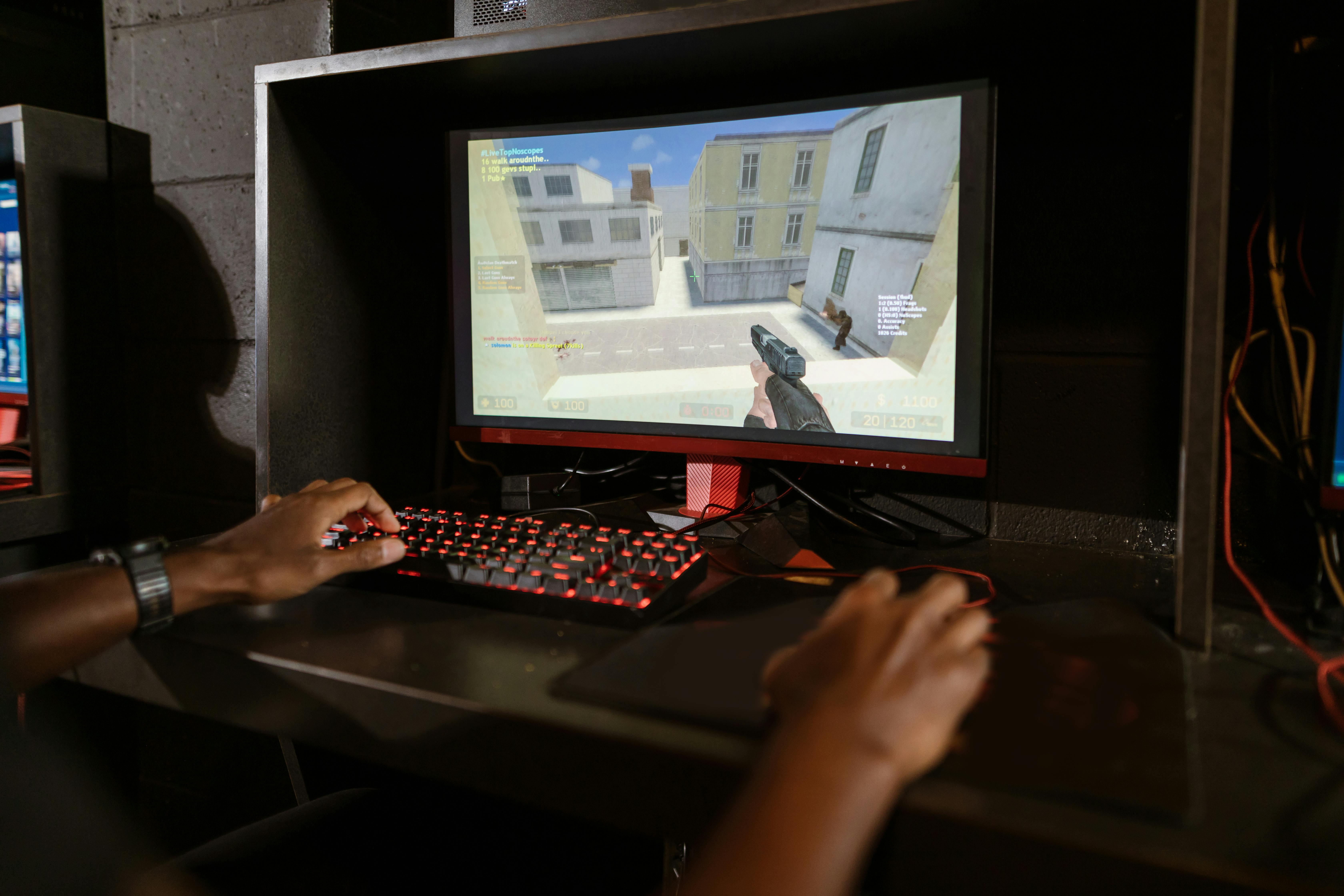

The Evolution of FPS Aiming: From Classic Shooters to Modern Precision

Image Credit: Pexels
Early first-person games made aiming fast and readable through simple inputs, limited vertical movement, and carefully shaped level design. As hardware improved, developers added free look, analog sticks, motion sensors, and layers of software assistance. Each step changed what players considered accurate, responsive, and fair.
Modern FPS aiming now combines physical input with hidden systems such as acceleration curves, target slowdown and network prediction. Understanding those pieces can help you tune your setup, compare platforms, and see why two games can feel completely different even at the same sensitivity.
From Doom to Modern Warfare
The original *Doom* kept aiming deliberately simple. Players turned left or right while the game handled vertical alignment, which suited keyboard controls and the mostly horizontal structure of its levels. Accuracy depended on positioning, movement timing, and quick target selection more than precise control across two axes.
That model changed as fully 3D environments became standard. Games such as *Quake* paired mouse movement with unrestricted camera control, giving PC players a fast way to turn and make tiny corrections. Mouse look eventually became so familiar that modern players can find early control schemes surprisingly restrictive. For examples of how the genre has evolved, explore some of the best first-person shooter games and the experiences that helped define it.
Later releases refined the feeling through animation, recoil patterns, camera effects, and different sensitivity values for general movement and focused aiming. A useful overview of early FPS aim systems shows how designers combined several techniques to make aiming feel natural across different devices.
Modern Warfare titles represent the layered approach common to current releases. Input passes through sensitivity settings, field-of-view choices, animation states, and online synchronization before the result appears on screen. If an older game feels more immediate, that doesn’t necessarily mean it processes input faster. It may simply display less animation and apply fewer filters between your hand movement and the camera response.
Console vs. PC Aiming Differences
A mouse measures movement across a flat surface, so players can make both broad turns and minute corrections with one device. A controller stick measures direction and tilt within a small physical range. Since the stick can’t travel indefinitely, the game converts its position into camera rotation over time.
That difference explains why matching numeric sensitivity values across platforms rarely produces the same experience. Controller aiming often uses a dead zone around the stick’s resting point, an acceleration curve, and a maximum turn speed. Mouse input may be closer to direct movement, though operating system settings and game filters can still affect the result.
Aiming in modern FPS games involves more than hand-eye coordination alone. Different tools can change how players track targets and respond to movement, although not all forms of assistance are permitted in competitive play. For example, an MW4 aimbot is designed to automate aspects of targeting, illustrating the difference between developing aiming skills through practice and relying on software to assist with accuracy.
The Rise of Customizable Controls
Sensitivity was once the main aiming option available to most players. Current games may expose separate horizontal and vertical values, dead-zone limits, acceleration types, response curves, and multipliers for different zoom levels. That flexibility helps players compensate for device wear, hand mobility, and personal preference.
Platform-level tools have expanded the options further. Valve’s Steam Input documentation explains how controller signals can be remapped and adjusted before a game receives them. This can help when a title lacks full rebinding, though stacking platform settings on top of in-game processing can make troubleshooting harder.
Change one variable at a time when tuning your setup. Start with dead zone, setting it just high enough to prevent movement when you aren’t touching the stick. Next, choose a sensitivity that lets you turn comfortably without losing control during small corrections. Test the result for at least 10 minutes before changing another setting.
Keep a simple record of your values, especially if the game stores different settings for separate modes. Screenshots work well. If an update resets the configuration or introduces a new response curve, you’ll have a reliable baseline instead of rebuilding from memory.
Consistency also matters across sessions. Switching between radically different sensitivities every evening makes it difficult to identify whether the problem comes from your settings, your technique, or the game’s current performance.
Advanced Targeting Systems Explained
Aim assistance is a collection of systems, not a single effect. Target slowdown reduces camera speed when the reticle passes close to an eligible character. Rotational assistance can help the view follow nearby movement while the player is also moving. Adhesion, friction, and magnetism are informal terms that developers and communities use for related behaviors, though their exact meanings vary between games.
Response curves determine how stick tilt becomes rotation speed. A linear curve produces a more direct relationship between input and output. Exponential curves reserve more of the stick’s range for fine adjustments, then increase turning speed near the outer edge. Dynamic curves may combine a quick initial response with finer control through the middle.
Prediction becomes especially relevant online. A game client must present smooth movement even though data arrives in small updates and may be delayed. It estimates where characters are headed, displays an immediate result, and corrects discrepancies when new server information arrives. High latency or packet loss can make correct input appear inaccurate because the local display and server outcome briefly disagree.
Field of view also changes perceived speed. A wider view shows more of the environment, making camera movement look faster and distant targets appear smaller. If you increase it substantially, lower sensitivity only if your physical control has actually worsened. Visual speed alone can be misleading.
For useful testing, choose a repeatable practice scenario. Stand at the same distance, track the same moving target, and record how often you overcorrect. Stable conditions reveal more than a few unpredictable public matches.
Future Trends in FPS Precision
Gyroscopic aiming is moving from a niche option toward broader support. It allows small controller rotations to adjust the camera, giving players a second input method for fine corrections. Many people use the stick for broad turns and motion input for precise tracking, though the feature needs careful calibration to avoid unwanted movement.
Accessibility will also shape future control design. Microsoft’s gaming accessibility resources highlight adaptable controls and broader input support. More games are likely to offer individual axis tuning, toggle options, clearer visual indicators, and presets that can be shared across devices.
Hardware polling rates and display refresh rates will keep rising, but higher numbers alone won’t guarantee better control. Frame-time stability, input processing, and network conditions all affect the complete response chain. A steady 120 frames per second can feel more predictable than a higher average that repeatedly drops.
Developers may also provide better calibration tools inside games. Instead of asking players to guess at dead zones, a setup screen could measure stick drift, hand movement, and comfortable turning range. Cross-platform titles could then translate those measurements into comparable profiles for mouse, controller and motion input.
The most valuable advance may be transparency. Clear labels for response curves, assistance strength, and input matching would let players understand why a game feels different. Until that becomes standard, keep your tests repeatable and your settings documented. Precision improves faster when you know which variable changed.

Post a Comment